
Payment & APR
Monthly payment, total repayment, overpayment and APR/total cost, with zero-rate handling built in.
Payments, APR, amortization, real-world costs and early repayment — brought together in one focused financial tool.
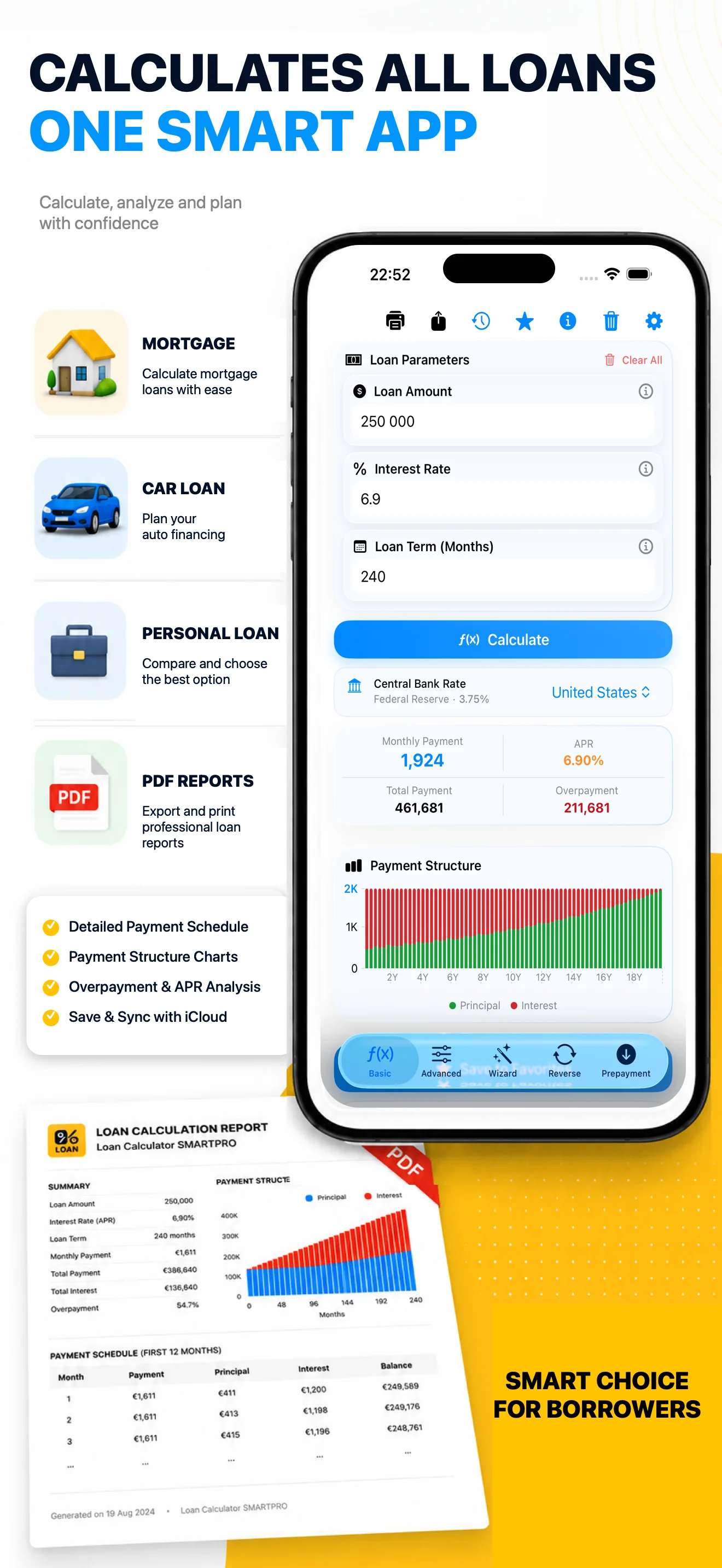

Start with a fast annuity calculation, then inspect the numbers that determine the real borrowing cost.
Monthly payment, total repayment, overpayment and APR/total cost, with zero-rate handling built in.
A detailed payment-by-payment view of principal, interest, remaining balance and additional costs.
Enter loan amount, term and known monthly payment. SMARTPRO determines the corresponding annual rate.
Review interest, fees, insurance, taxes, other expenses and the complete cost structure.
Charts show how principal, interest, fees and insurance change through the life of the loan. The complete amortization table remains available when you need the detail.
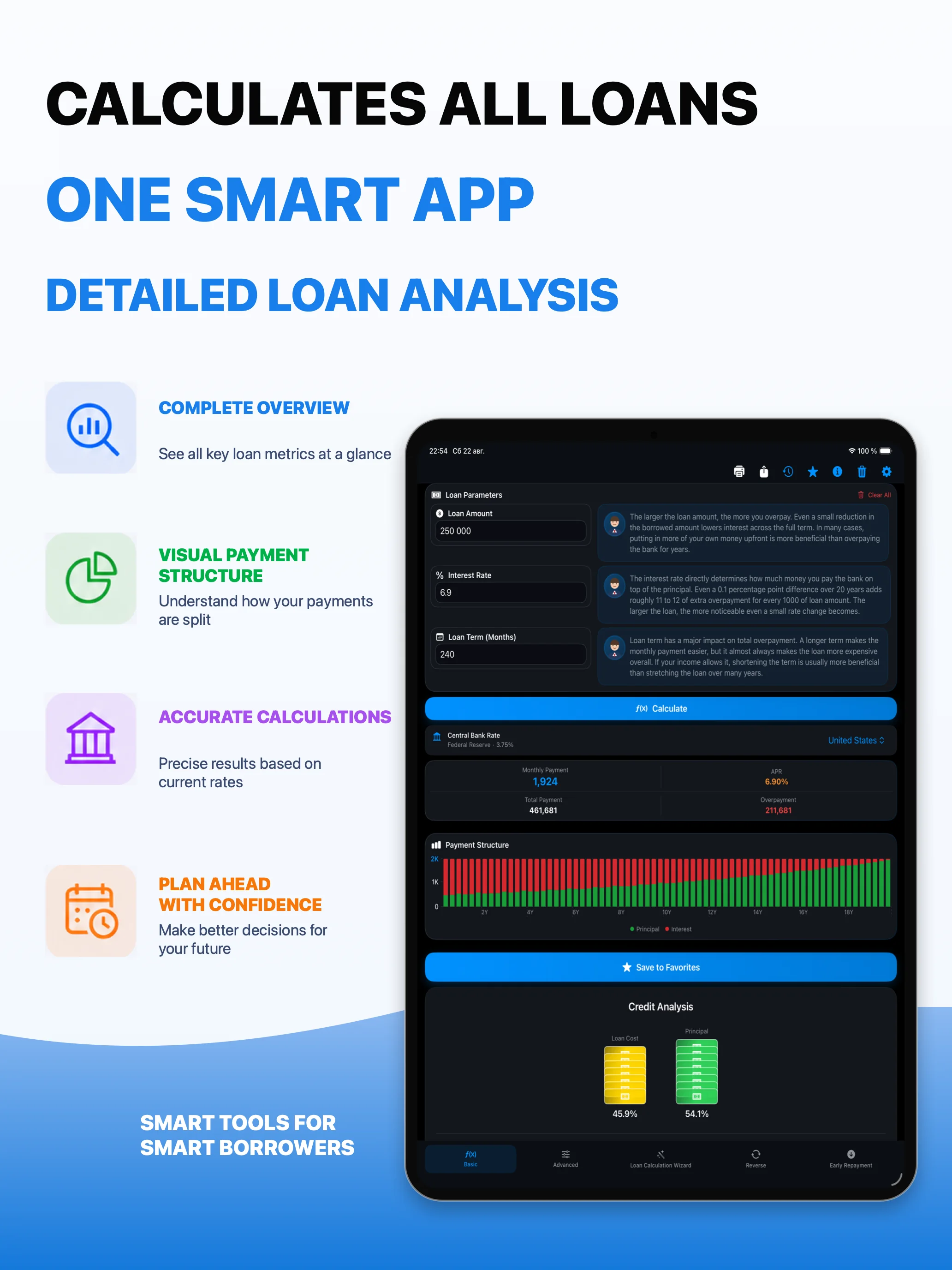
Designed for mortgage, car and other credit scenarios where the headline interest rate is only part of the picture.
Asset value, loan amount and down payment stay connected. Enter the down payment as an amount or percentage.
One-time and monthly fees, fixed or percentage-based, including capitalized fees and balance-based commissions.
One-time, annual or monthly insurance calculated from the loan, asset value or remaining balance.
Add taxes, notary fees and other expenses as fixed amounts or percentages of the loan or asset value.
Add one or multiple prepayments — or a recurring monthly extra amount — and compare reducing the term with reducing the payment.
When the original loan uses an issue date, a dated prepayment can split interest by the actual days before and after the extra payment.
Saved inputs let you reopen a calculation in the appropriate calculator and run it again.
Generate multi-page reports containing inputs, key metrics, analysis, charts and payment schedules.
Pro users can synchronize saved calculation data through iCloud when synchronization is enabled.
Many basic calculators stop at a standard monthly annuity formula. SMARTPRO can use actual calendar dates so interest and dated prepayments reflect the number of days money is actually outstanding.
When date-based calculation is used, interest for a period is based on the outstanding principal, annual rate and the actual number of days in that period. This follows the general daily-accrual approach used by many lending products, although each lender may apply its own day-count convention, rounding and contract rules.
SMARTPRO is an independent calculation tool, not a bank. Exact lender schedules may differ because of contractual conventions, payment processing dates, holidays, rounding, fees and local regulation.
It combines quick estimation with the tools needed to inspect a loan after the headline monthly payment.
“Basic calculator” describes simple payment-only calculators generally; it is not a comparison with a specific competing product.
Full calculations on iPhone, iPad and Mac. Apple Watch includes a compact payment and reverse-rate calculator.
From the first estimate to a detailed repayment strategy, SMARTPRO keeps the important loan numbers in one place.